

Key Takeaways
Router Placement
Router placement refers to the physical location where you position your Wi-Fi router inside your home. Because routers broadcast wireless signals in all directions, where you put one directly determines which rooms receive strong coverage and which fall into weak or dead zones. A poorly placed router can undermine even a fast internet plan.
Wi-Fi signals operate on radio frequencies (commonly 2.4 GHz and 5 GHz) that attenuate - lose strength - as they travel through air, walls, floors, and obstacles. The further or more obstructed the path, the weaker the signal that reaches a device.
Signals Travel in All Directions - Until Something Stops Them
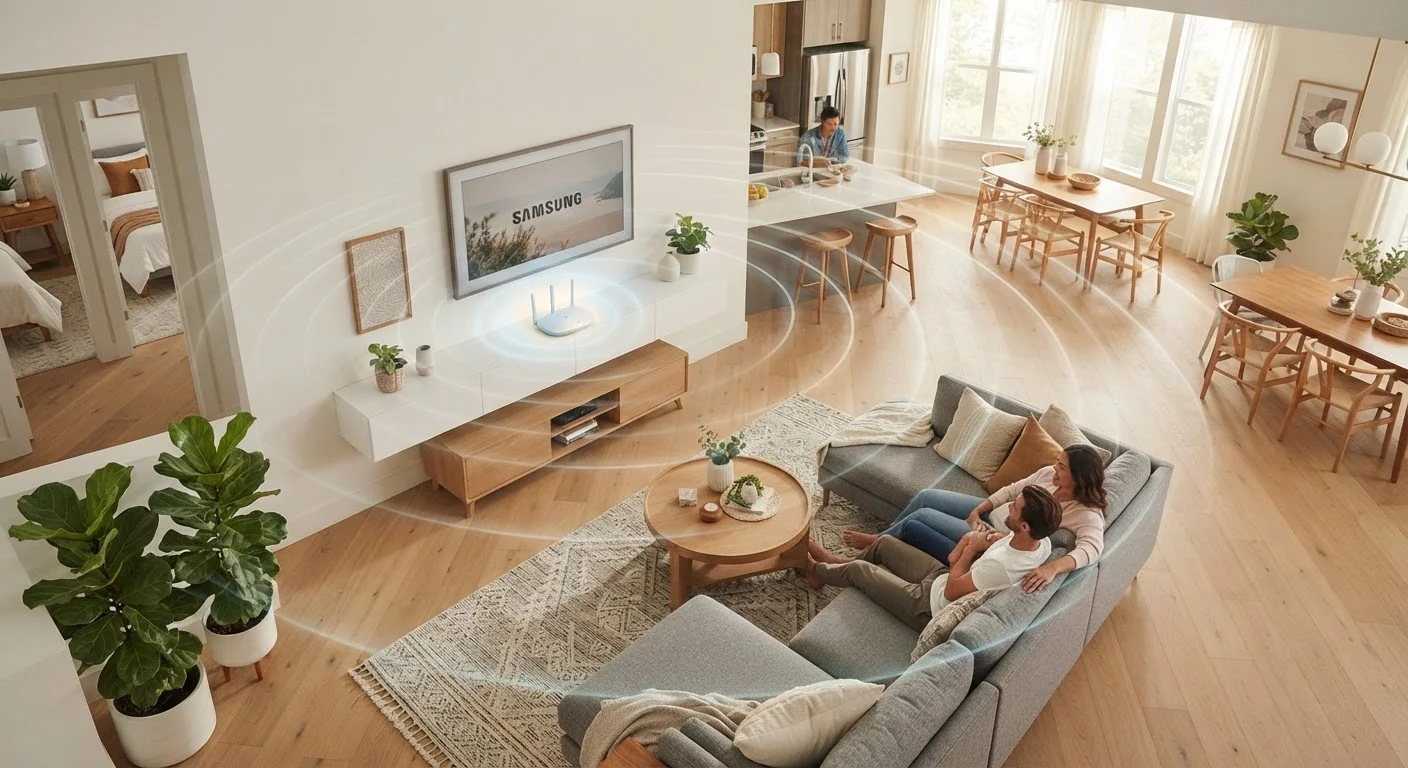
Your router does not beam Wi-Fi toward your devices like a flashlight. It broadcasts radio signals outward in a roughly spherical pattern, which means its position in your home determines how much of that sphere is useful versus wasted. A router tucked into a corner of a back bedroom sends a large portion of its signal through exterior walls and into your yard - doing nothing for the rooms on the opposite side of the house.
Every material the signal encounters absorbs some energy. Drywall has modest impact. Concrete, brick, tile, and metal are far more disruptive. Large appliances - refrigerators, microwaves - can reflect or scatter signals unexpectedly. The cumulative effect is that a home with multiple walls between the router and a device can feel like it has far slower internet than the plan's advertised speed suggests. If you've ever noticed your connection degrades in specific rooms, this is almost certainly the cause. For a deeper look at what creates those problem areas, see our guide to Wi-Fi dead zones.
Ethernet Cables Give You Placement Flexibility
Your modem doesn't have to sit right next to your router permanently. A standard Cat5e or Cat6 Ethernet cable can run up to 328 feet without signal loss, giving you considerable freedom to position the router wherever coverage is best. Running the cable along baseboards or through walls (with appropriate planning) is a common and practical solution.
Why Central and Elevated Placement Works
The physics here are straightforward: if a signal expands outward from a single point, placing that point in the center of your home minimizes the maximum distance to any room. Moving the router to the far end of a house doubles or triples the distance the signal must travel to reach the opposite end - with walls along the way compounding the loss.
Height matters for a related reason. Wi-Fi antennas on most consumer routers radiate signals outward and slightly downward from horizontal. A router sitting on the floor directs a significant portion of its energy into the ground. On a shelf, desk, or wall mount, that same energy reaches devices across the room and - if you have a multi-story home - on the floor below. Many network engineers recommend placing the router roughly one-third of the way up from the floor of the highest level you want to cover.
Use Your Router's App to Check Signal Strength
Many modern routers include a companion smartphone app that displays signal strength by connected device. Before physically moving your router, check which devices are reporting weak signals and note their locations relative to the router's current spot. This gives you a clear picture of where coverage is genuinely lacking - and whether repositioning would help.
Frequency Bands and How Placement Interacts With Them
Modern routers typically broadcast on two frequency bands: 2.4 GHz and 5 GHz. Understanding the difference helps set realistic expectations about placement. The 2.4 GHz band travels farther and penetrates walls more effectively, but it carries less data and is often congested by neighboring networks and household devices like cordless phones and microwave ovens. The 5 GHz band offers significantly higher throughput but has a shorter effective range and is more sensitive to physical obstacles.
What this means in practice: even with a well-placed router, devices at the far edges of your home will likely connect on 2.4 GHz rather than 5 GHz - and experience lower speeds as a result. No placement change eliminates this tradeoff; it's a function of physics. If your home's layout means large portions of your living space fall outside comfortable 5 GHz range, a mesh Wi-Fi system may address the gap more effectively than repositioning a single router.
It's also worth noting that slow speeds aren't always a placement problem. Other network factors - including device congestion, outdated hardware, and provider-side limitations - play a role too.
~30%
Signal strength lost through a single drywall partition
RF engineering reference data indicates a typical interior drywall wall absorbs roughly 3 dB of signal, equivalent to about 30% reduction in received power.
Up to 10-15 dB
Signal loss through concrete or brick walls
Industry RF propagation models commonly cite concrete and masonry walls as among the most absorptive common building materials for 2.4 GHz and 5 GHz signals.
~35 ft
Typical effective indoor range of 5 GHz band
The 5 GHz band's usable indoor range in typical residential conditions is often cited as roughly 35 feet through standard interior walls before speeds degrade noticeably.
Practical Steps to Improve Placement Without New Hardware
Before investing in additional equipment, consider whether your current router is simply in the wrong spot. A few adjustments can meaningfully improve coverage at no cost:
- Move toward the center: Identify the geometric center of the area you need to cover and position the router as close to it as your modem connection allows. A longer Ethernet cable between modem and router gives you flexibility. If you're unsure what role the modem plays in this setup, the difference between a modem, router, and gateway is worth reviewing.
- Elevate the device: Place the router on a bookshelf, mount it on a wall, or set it on top of a cabinet. Avoid floors and low furniture.
- Clear the surroundings: Keep the router away from large metal objects, thick walls, and other electronics - especially microwaves and cordless phone bases - that operate on overlapping frequencies.
- Avoid enclosed spaces: Closets and cabinets suppress signal. The router needs open air around it.
These changes won't transform a fundamentally underpowered router into a whole-home solution, but for many households they resolve the most common complaints about dead zones and inconsistent speeds - without any additional expense.