

Key Takeaways
Our Verdict
No single device wins outright - each format serves a different user profile. Streaming sticks suit travelers and budget-conscious viewers who already own any HDMI-equipped TV. Smart TVs are the lowest-friction daily driver for viewers who want nothing extra to manage. Set-top boxes reward households with demanding streaming habits, multiple users, or audio-visual setups where performance headroom matters.
| Best for | Recommended |
|---|---|
| Viewers who want simplicity with no extra hardware | Smart TV built-in platform |
| Budget-conscious or frequently relocating users | Streaming Stick |
| Power users and home theater enthusiasts | Set-Top Box |
| Owners of an older TV wanting to add streaming affordably | Streaming Stick |
What Each Device Actually Is
The three most common ways Americans stream video to their televisions each work on fundamentally different principles - and understanding those differences matters before anything else.
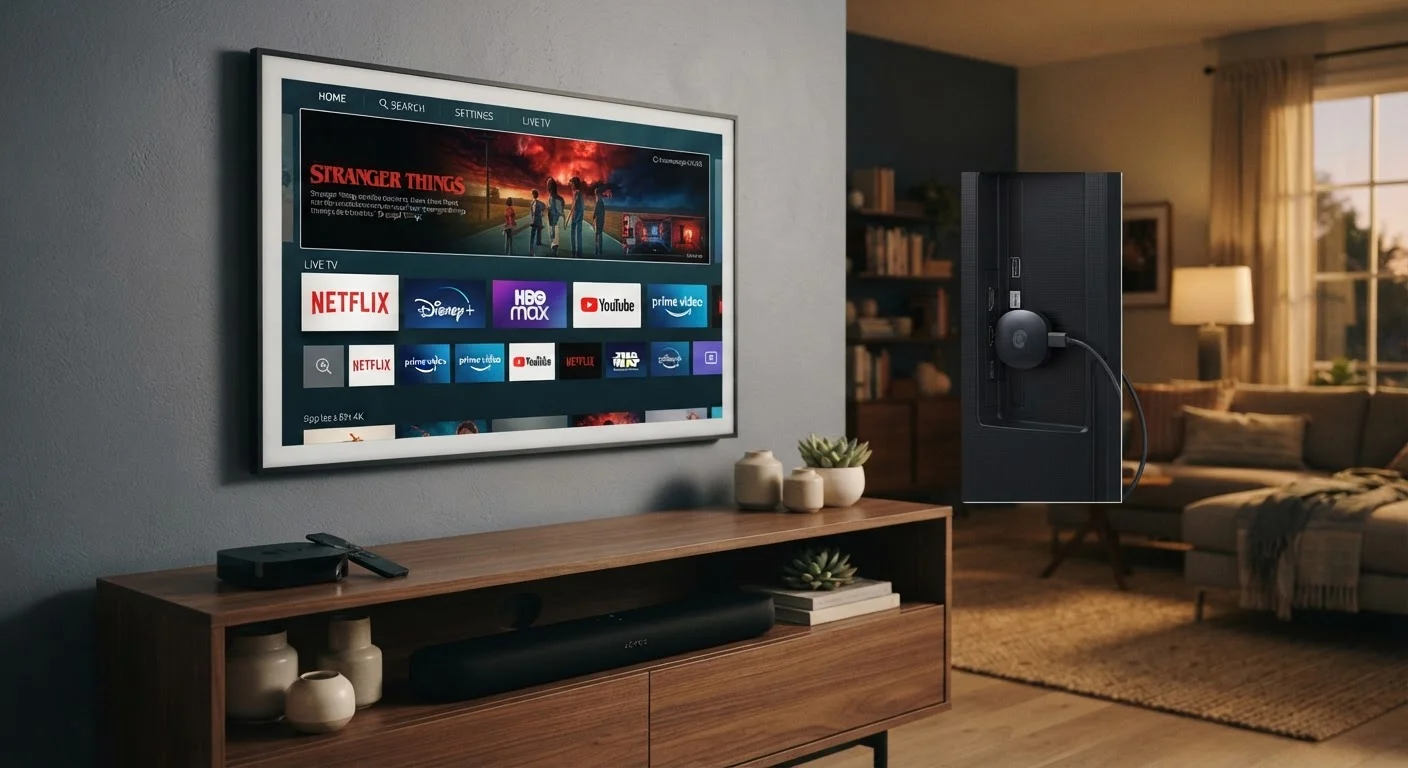
Streaming sticks are small dongles that plug directly into a TV's HDMI port. They draw power from a USB port or small adapter and connect to your home Wi-Fi. All of the software - the app launcher, the streaming apps themselves, voice controls - lives inside that tiny stick. They're self-contained computers no bigger than a thumb drive.
Smart TVs have the streaming platform baked into the television itself. The operating system runs on a chip inside the TV, and you access apps via a remote without any added hardware. Nearly all mid-range and above televisions sold in the US now include some form of smart platform.
Set-top boxes (also called streaming media players or media boxes) are standalone devices that sit near your TV and connect via HDMI. Unlike sticks, they're larger, use a dedicated power adapter, and typically house more capable processors and more storage. Some also bundle traditional cable or satellite service alongside streaming apps. For unfamiliar terms like codec, refresh rate, or HDMI version, see our consumer electronics glossary.
How They Compare Across Key Criteria
Each format involves genuine trade-offs. The comparison below breaks down how they stack up across the factors that matter most to everyday users.
| Streaming Stick | Smart TV | Set-Top Box | |
|---|---|---|---|
| Setup complexity | Plug-and-play via HDMI | No extra hardware needed | Requires separate power and HDMI |
| Upfront cost | Generally lowest | Bundled with TV purchase | Generally highest |
| Processing power | Limited but functional | Varies by TV model and age | Typically most capable |
| Portability | Highly portable | Not portable | Low portability |
| Software update frequency | Frequent, dedicated team | Manufacturer-dependent | Frequent, dedicated team |
| Storage and expandability | Minimal | Fixed, manufacturer-set | More storage, some USB ports |
| Ideal for | Budget users, travelers | Minimalists, new TV owners | Power users, home theaters |
One factor the table can't fully capture is software longevity. Smart TV platforms receive updates on the manufacturer's schedule, which may lag behind a streaming stick or box that gets more frequent updates from its dedicated software team. A television's display panel may outlast its built-in smart platform by several years - a common frustration for owners of sets purchased four or more years ago.
The Role Your Internet Connection Plays
Whichever device you choose, its performance ceiling is set by your home broadband connection. Streaming HD video typically requires a sustained 5-10 Mbps per stream; 4K HDR content can demand 15-25 Mbps or more. A household running multiple streams simultaneously needs that bandwidth multiplied accordingly.
Check Your Wi-Fi Before Blaming the Device
Before upgrading a streaming device due to buffering or poor picture quality, check where your router is placed relative to the TV and what speeds you're actually receiving at that location. Many streaming issues trace back to Wi-Fi dead zones or a congested network rather than the player itself. Running a speed test directly on a device connected via Ethernet - if possible - helps isolate the cause.
Wi-Fi signal strength also matters. Streaming sticks and smart TV wireless radios vary in quality - a stick at the back of a large television, tucked into a media cabinet, may receive a weaker signal than an externally placed set-top box with better antenna design. If you're experiencing buffering or dropouts, the device is rarely the first place to investigate; your network and connection quality usually deserve attention first. Our article on how much internet speed your household actually needs walks through how to estimate the right bandwidth for your situation.
For a deeper look at how your connection type shapes streaming quality at home, see our comparison of fiber vs. cable internet.
Choosing the Right Fit for Your Home
The right device depends on your specific situation - not on any hierarchy of quality.
- If you already own a recent smart TV and its platform runs the apps you need, adding another device may be redundant. Test the built-in experience first.
- If you have an older TV without smart features, or whose built-in platform has become slow or unsupported, a streaming stick is the most cost-effective upgrade path.
- If your household streams heavily - multiple users, 4K content, Dolby Atmos audio passthrough - a set-top box's additional processing headroom and connectivity options may be worth the higher cost.
- If you travel frequently or move between locations, a streaming stick's portability makes it uniquely practical.
These devices also fit into a broader ecosystem of connected home technology. For a fuller picture of how streaming players, smart speakers, mesh routers, and other devices interact, our guide to understanding your home's connected devices explains how everything works together. And if you're evaluating screen quality alongside your streaming setup, our explainer on screen resolution numbers covers what those 4K and HD labels actually represent.