

Key Takeaways
Software Update
A software update is a new version of an app or operating system released by its developer to replace the version currently installed on your device. Updates can deliver security patches, bug fixes, performance improvements, or entirely new features. When you skip them, your device continues running the older version - complete with any flaws the update was designed to address.
Updates are distinct from upgrades: an update is typically an incremental change within the same major version, while an upgrade (e.g., moving from iOS 16 to iOS 17) represents a more substantial platform transition.
Why Updates Keep Appearing
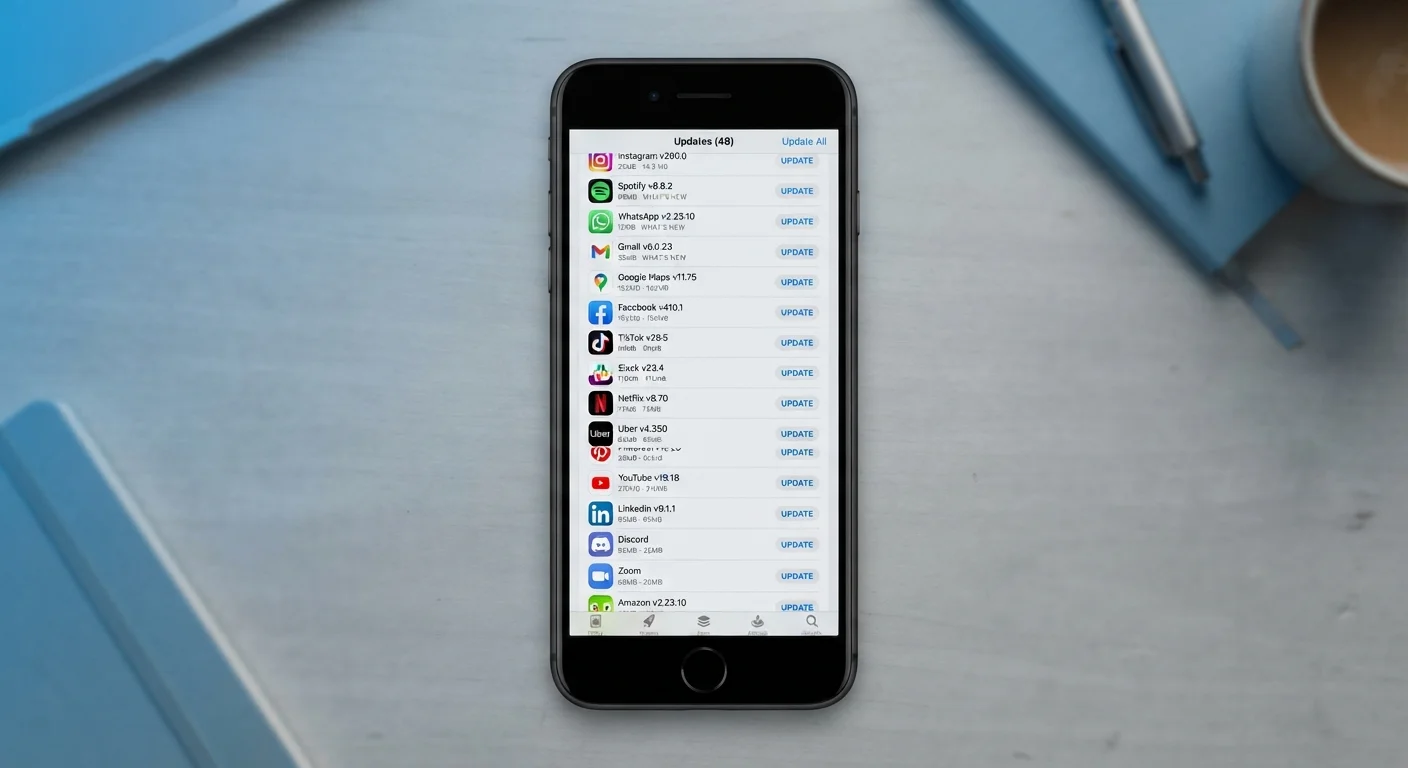
Software is never truly finished. Every app you use is a living product - developers continuously discover bugs, receive user feedback, respond to operating system changes, and close security gaps that were unknown when the app first shipped. That notification badge on your app store isn't cosmetic noise; it's a queue of problems already solved, waiting for your device to receive the fix.
The sheer volume can feel overwhelming, especially if you use dozens of apps. But the frequency of updates reflects how actively a piece of software is being maintained - which is generally a good sign. An app that hasn't been updated in years is often more concerning than one that releases regular patches. Understanding what's inside an update makes it much easier to prioritize. For a deeper look at what happens before an app ever reaches your home screen, see how apps are delivered and installed.
The Security Risk You're Taking by Waiting
Security patches are the most time-sensitive category of update, and they're also the most commonly misunderstood. When a developer discovers a vulnerability - a flaw that could allow unauthorized access to your data or device - they release a patch. That patch, once public, is essentially a roadmap. It tells anyone paying attention exactly what the flaw was and how to exploit it on devices that haven't updated yet.
This is not a theoretical concern. Documented cyberattacks have consistently targeted users running known-vulnerable software versions, often months after patches were made available. Older app versions can expose stored credentials, payment information, and access to device features like the camera or microphone - permissions the app was granted long ago and never revoked.
60%+
Of breaches exploit known, patchable vulnerabilities
Security researchers have consistently found that a majority of successful cyberattacks target flaws for which patches were already available but not yet applied by victims.
Days to weeks
Typical attacker response time after a patch is published
Cybersecurity analyses have shown that malicious actors often begin exploiting newly disclosed vulnerabilities within days of a public patch release, targeting unupdated systems.
Billions
App updates delivered annually across major platforms
Apple and Google together process billions of app update downloads each year across the App Store and Google Play, reflecting the scale of ongoing software maintenance.
The parallel to physical upkeep is worth noting: just as deferring home maintenance lets small problems compound into expensive ones, skipping software patches lets small vulnerabilities become serious exposures. The cost accumulates quietly. For practical habits that keep your devices protected, keeping your devices secure covers straightforward steps that don't require technical expertise.
Performance and Compatibility: The Less-Obvious Costs
Security aside, updates carry practical day-to-day benefits. Bug fixes address crashes, memory leaks, and battery drain that may have been affecting your experience without you attributing them to the app. If a specific app seems sluggish or drains your battery faster than it used to, an update may have already fixed the underlying cause - it's just waiting to be applied.
Compatibility is another silent consequence. Operating systems - iOS, Android, macOS, Windows - evolve regularly, and apps need to keep pace. An app that hasn't been updated in a long time may start behaving unpredictably after a system update, or eventually stop launching altogether. Developers target current OS versions; if your app is old enough, it may no longer receive support at all.
Set Updates to Wi-Fi Only
Both iOS and Android allow you to restrict automatic app updates to Wi-Fi connections, preventing unexpected mobile data charges. Open your device's app store settings and confirm this option is enabled - it takes under a minute and removes one of the most common objections to turning on automatic updates.
Storage is occasionally a concern as well, since update files add temporary load during installation. If your device is frequently low on space, see why phone storage fills up so fast for context on where that space actually goes.
Making Updates Work for You, Not Against You
The simplest change most users can make is enabling automatic updates for apps over Wi-Fi. This removes the decision entirely for routine patches and leaves your device consistently current without requiring active management. Both iOS and Android support Wi-Fi-only auto-updates, which prevents unexpected mobile data charges.
If you prefer more control, a practical middle ground is reviewing and applying updates once a week on a set schedule - perhaps when your device is charging and connected to Wi-Fi. Prioritize apps that handle financial data, email, health records, or messaging above games or utilities, since those carry higher consequences if compromised.
It's also worth revisiting your app settings occasionally. Outdated apps often have default configurations that were set years ago and may not reflect current best practices. Commonly misunderstood app settings can change how much data your apps use and how they behave in the background - worth a look alongside your update routine.
Ignoring updates is one of those habits that feels inconsequential in the moment but accumulates risk over time - similar to how small financial habits quietly erode savings. The stakes don't announce themselves until something goes wrong. Staying current is the lowest-effort, highest-impact step most device users can take.