

Key Takeaways
Option A
Smart Speaker
The always-listening, voice-controlled home hub.
Best for: Households that want hands-free voice control, smart home integration, and AI assistant features built into their audio device.
Option B
Bluetooth Speaker
The portable, straightforward audio companion.
Best for: Anyone who wants reliable, high-quality sound playback from a phone or laptop without ongoing connectivity requirements or cloud dependence.
If you want hands-free control of music, timers, and smart home devices
Smart Speaker
Smart speakers excel at voice-driven tasks, integrating with lights, thermostats, and calendars without lifting a finger.
If you want portable, reliable sound anywhere - indoors or out
Bluetooth Speaker
Bluetooth speakers work without Wi-Fi or accounts, making them ideal for travel, outdoor use, or rooms without a stable internet connection.
If privacy around always-on microphones is a concern
Bluetooth Speaker
Bluetooth speakers have no microphones and no cloud connection, so they collect no audio data from your environment.
If you want a central hub for a connected smart home
Smart Speaker
Smart speakers act as a voice interface for compatible smart home ecosystems, managing multiple devices from a single point of control.
What Each Device Actually Does
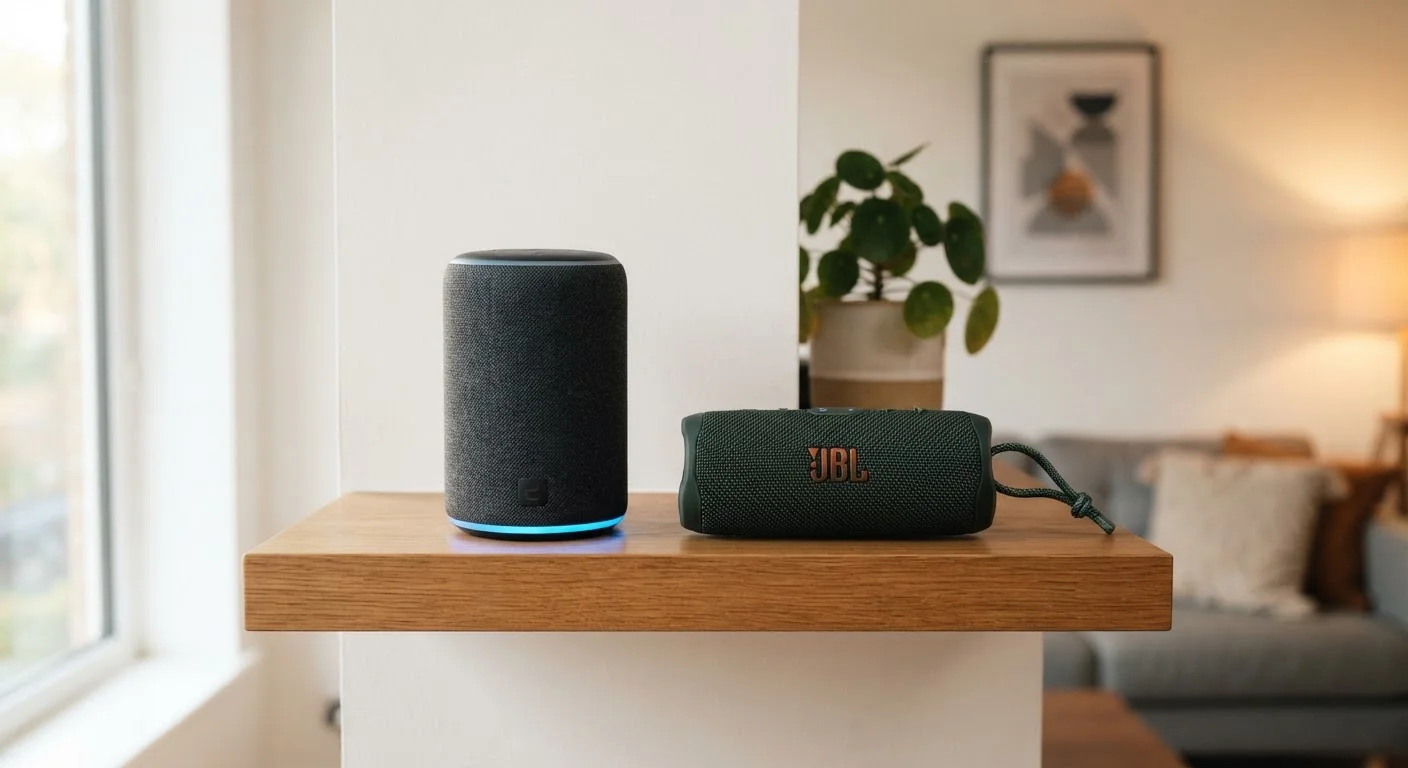
Despite sharing a roughly cylindrical shape and the ability to play music, smart speakers and Bluetooth speakers are built around fundamentally different ideas about what a speaker is supposed to do.
A Bluetooth speaker is, at its core, an audio output device. It pairs wirelessly with a phone, tablet, or laptop using Bluetooth radio, then plays whatever audio that source sends. No internet required. No account required. It does one job - sound - and it does it wherever you take it. Just as different earbuds and headphones serve distinct listening situations, Bluetooth speakers serve a specific, portable audio niche.
A smart speaker, by contrast, is a networked device with a voice assistant at its center. It connects to your home Wi-Fi, links to a cloud-based AI service, and waits - continuously - for a wake word. Music playback is just one feature among many. Smart speakers can set reminders, answer questions, control compatible smart home devices, and relay information from the internet in real time.
Can a Smart Speaker Also Use Bluetooth?
Many smart speakers support Bluetooth pairing in addition to Wi-Fi streaming, allowing you to play audio directly from a phone without using the internet. However, using a smart speaker purely as a Bluetooth receiver disables its voice assistant and smart home features - you're essentially using a sophisticated device as a basic speaker. It works, but it's worth knowing what you're trading off.
Key Differences Side by Side
The distinctions go deeper than connectivity. Here's how the two device types compare across the criteria that matter most to everyday users.
| Criterion | Smart Speaker | Bluetooth Speaker |
|---|---|---|
| Primary connection | Wi-Fi (internet required) | Bluetooth (no internet needed) |
| Voice control | Yes - built-in AI assistant | No - audio playback only |
| Microphone | Always-on array | None |
| Portability | Usually plug-in, fixed location | Often battery-powered, portable |
| Smart home control | Yes - compatible ecosystems | No |
| Account required | Yes - linked to a cloud service | No |
| Works offline | Limited - most features need internet | Yes - fully functional offline |
| Audio focus | One of several features | Core purpose |
One point worth underscoring: smart speakers are substantially more dependent on external infrastructure. If your internet goes down, most smart speaker features stop working - including music streaming. A Bluetooth speaker keeps playing as long as your phone has audio to send. Similarly, if you want to explore other connected home entertainment options, understanding these connectivity dependencies is just as relevant when choosing between streaming sticks, smart TVs, and set-top boxes.
The Privacy Trade-Off You Should Understand
Smart speakers use always-on microphones - they're continuously listening for a wake word like "Hey" followed by an assistant name. Audio is processed locally to detect that word, but once the assistant is triggered, your voice request is typically sent to remote servers for interpretation.
This doesn't mean smart speakers are inherently unsafe, but it does mean they represent a different privacy posture than a Bluetooth speaker, which has no microphone at all. Major manufacturers publish transparency reports and offer mute buttons that physically disconnect microphone circuits, but readers should understand that the cloud-connected nature of smart speakers is essential to how they function - not an optional feature.
~35%
U.S. adults who own a smart speaker
Pew Research Center surveys have consistently found roughly one-third of American adults report owning a smart speaker, reflecting widespread but not universal adoption.
3-10 ft
Typical effective Bluetooth range
Bluetooth range varies by device class and environment; walls, interference, and device class all affect real-world performance.
If you share your home with others or are cautious about in-home audio monitoring, a Bluetooth speaker sidesteps these considerations entirely.
Which One Fits Your Home?
For most households, the decision comes down to two questions: Do you want voice control and smart home integration? And do you need reliable audio in places without Wi-Fi?
If your answer to the first question is yes - you want to ask questions aloud, automate routines, or control lights and thermostats by voice - a smart speaker delivers real utility beyond audio. If your answer to the second question is yes - you travel frequently, move the speaker between rooms, or have spotty connectivity - a Bluetooth speaker will serve you more reliably.
Many households end up with both: a smart speaker in a fixed location like the kitchen or living room, and a Bluetooth speaker for outdoor use or portability. They're not competing products so much as tools designed for different jobs. Understanding that distinction up front helps you spend money on what you'll actually use.
This article is for general informational purposes only. Features and capabilities of specific devices vary by manufacturer and software version. Always verify current specifications with the relevant product documentation before purchasing.