

Key Takeaways
Device Storage
"Storage" on a phone or tablet refers to where data is held - either temporarily while the device is running (RAM) or permanently until you delete it (internal storage). These two types of storage serve completely different purposes and are not interchangeable. Cloud storage is a third option that keeps files on remote servers rather than on the device itself.
Internal storage on modern smartphones uses NAND flash memory (typically UFS or eMMC), which retains data without power - unlike RAM, which is volatile and clears every time the device restarts.
Three Types of Storage - and Why They're Often Confused
When people talk about storage on a phone or tablet, they're often using one word to describe three very different things: RAM, internal storage, and cloud storage. Manufacturers don't always make the distinction clear, and marketing specs list both RAM and internal capacity in gigabytes (GB), which makes them easy to conflate.
Here's the simplest way to think about it:
- Internal storage is your device's filing cabinet - it holds everything you want to keep: apps, photos, videos, downloaded music, and documents.
- RAM (Random Access Memory) is your device's desk - it holds only what you're actively working on right now. When you close an app, it clears from the desk.
- Cloud storage is a storage unit off-site - files live on remote servers, accessible over the internet, and don't take up space on your device unless you download them.
The "storage full" message your phone shows you? That's always about the filing cabinet - internal storage - never the desk (RAM).
128 GB
Most common internal storage tier at purchase
128 GB has become the baseline configuration for mid-range and flagship smartphones sold in the US market as of recent years.
~10-15%
Storage used by OS before first use
System software, pre-installed apps, and firmware typically consume roughly 10-15% of advertised storage capacity on a new device.
6-8 GB
Typical RAM in mainstream smartphones
Most mid-range consumer smartphones ship with 6-8 GB of RAM, sufficient for everyday multitasking across common apps.
Internal Storage: Where Your Files Actually Live
Internal storage is the number advertised most prominently when you buy a device - 64 GB, 128 GB, 256 GB, and so on. This is where the operating system itself lives, alongside every app you install, every photo you take, and every file you download.
A few things worth knowing about internal storage:
- The OS takes a cut. A portion of your stated storage is already used by the operating system and pre-installed apps before you ever turn the device on. A phone marketed as 128 GB may show only 110-115 GB as usable from day one.
- Apps grow over time. Apps don't just occupy their install size - they accumulate cache files and data as you use them, which can balloon significantly.
- Deleting apps frees space; deleting files does too - but only if they're not synced copies. Removing a photo that's already backed up to the cloud frees local space; removing one that isn't backed up deletes it permanently.
For a practical look at where space disappears to, see why phone storage fills up so fast.
Check Your Storage Breakdown in Settings
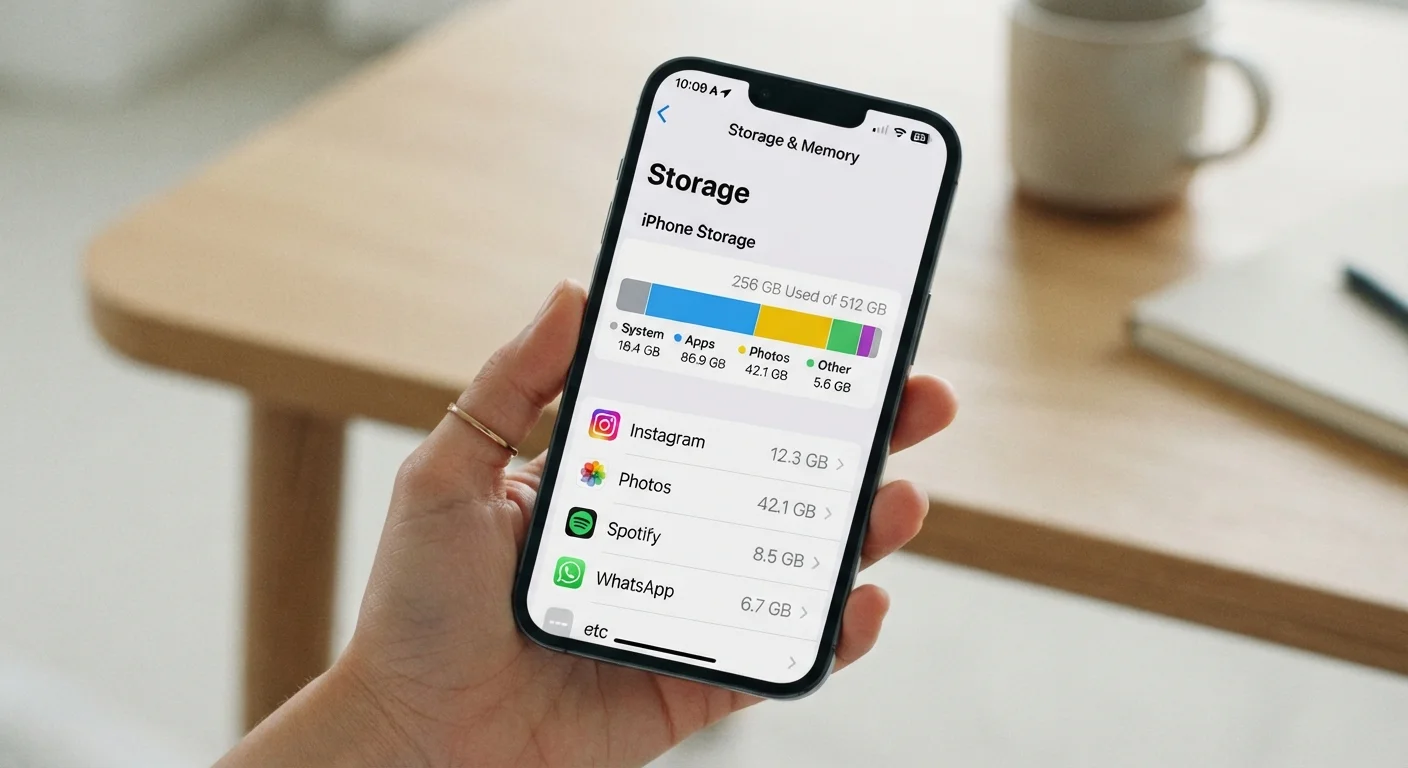
Both iOS and Android show a detailed breakdown of what's consuming internal storage. On iPhone, go to Settings > General > iPhone Storage. On Android, it's typically Settings > Storage. These breakdowns categorize usage by apps, photos, system data, and more - making it much easier to identify what to remove or offload.
RAM: The Working Memory Behind App Performance
RAM is the memory your device uses while apps are running. It doesn't store your files - it holds temporary data so apps can operate quickly without re-reading everything from internal storage each time.
When you switch from your email to a browser and back again, RAM is what allows your email to still be open and ready rather than having to reload completely. More RAM means more apps can stay "warm" in the background at once.
“RAM is the single biggest factor in whether switching between apps feels instant or sluggish. Storage speed matters, processor speed matters - but if the app isn't in RAM, something has to give.”
— Consumer Electronics Editorial Team, Tech & Connectivity Editorial Team
Most modern smartphones ship with somewhere between 4 GB and 16 GB of RAM. Mid-range devices with 6-8 GB of RAM handle everyday multitasking - social media, messaging, email, navigation - without issue for most users. Diminishing returns set in at higher amounts for general consumer use.
RAM is managed automatically by the operating system. Contrary to a common myth, manually closing apps to "free up RAM" often slows a device down rather than speeding it up, because it forces apps to fully reload from internal storage the next time you open them.
Cloud Storage: Keeping Files Off Your Device
Cloud storage services keep files on remote servers you access over the internet. Photos, documents, and backups stored in the cloud don't count against your device's internal storage - unless you choose to download a local copy.
Most smartphones are set up to automatically back up photos and certain data to a linked cloud account. This is useful for protecting content if a device is lost or replaced, but it's worth understanding what's backed up versus what's stored locally.
Automatic Backups Don't Always Mean Local Copies Are Gone
When your phone backs up photos to a cloud service, it may still keep full-resolution originals on the device by default. To actually free local space, you often need to enable an "optimize storage" or "free up device space" option within the cloud app's settings. Check the app's documentation to confirm what's stored locally versus remotely.
Cloud storage has its own limits and costs - free tiers typically offer 5-15 GB depending on the provider, after which a paid subscription is required. It also requires an internet connection to access files that aren't cached locally.
For a fuller breakdown of the trade-offs, cloud vs. local storage covers what to consider when deciding where your files should live. And if you use multiple devices, syncing apps across devices explains how cloud-based sync keeps things consistent across your phone, tablet, and computer.